

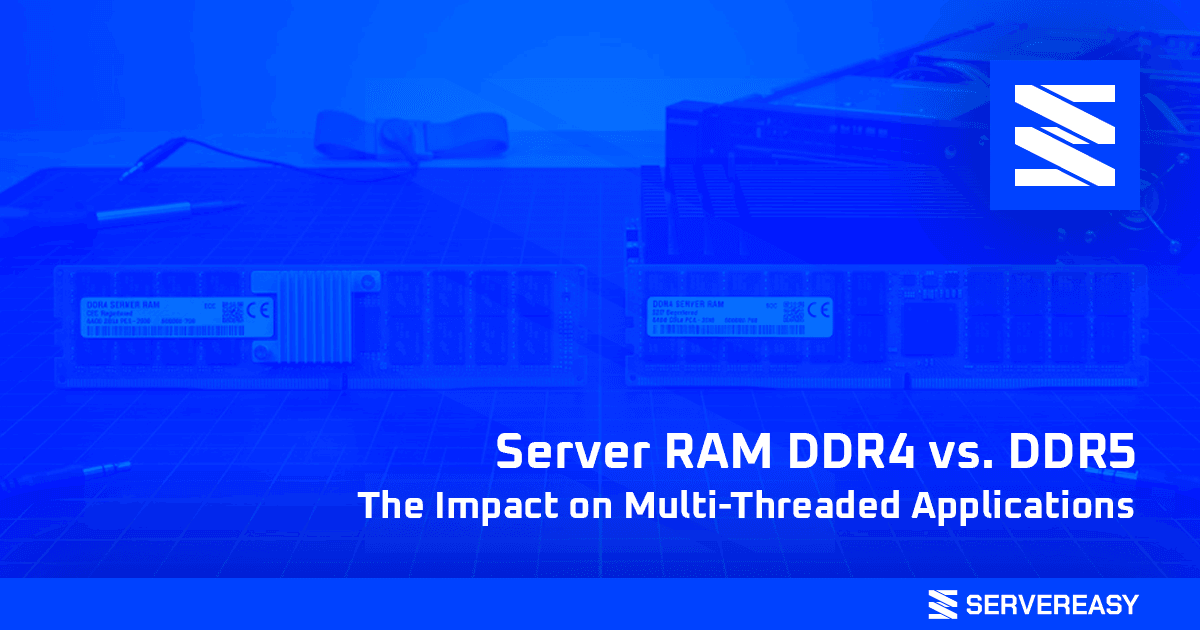
Server RAM DDR4 vs. DDR5: The Impact on Multi-Threaded Applications
Server RAM DDR4 or DDR5?
When designing an IT infrastructure to manage intensive workloads, the processor is often the first component that comes to mind. However, even the most powerful CPU on the market risks creating a “bottleneck” if data isn’t supplied fast enough. In scenarios where virtualization, complex databases, or parallel processing are the norm, memory plays a decisive role.
Today, the market is divided between the proven reliability of DDR4 memory and the extreme performance of the new DDR5 generation. But how does this choice impact the real-world performance of your applications? Let’s find out by analyzing the memory architecture and the most suitable solutions for every need.
What is DDR?
The acronym DDR stands for Double Data Rate (technically Double Data Rate Synchronous Dynamic Random-Access Memory). Simply put, it is a technology that allows RAM to transfer data twice per clock cycle (on both the rising and falling edges of the signal). This mechanism has revolutionized the speed at which servers process information.
Each new generation (DDR3, DDR4, DDR5) has brought radical improvements in terms of frequency, bandwidth, and energy efficiency, simultaneously lowering consumption for increasingly high-performing and sustainable hosting.
Key Differences Between DDR4 and DDR5
The transition from DDR4 to DDR5 is not a simple “frequency increase,” but a complete redesign of the architecture to support modern multi-core CPUs. Here are the main breaking points:
- Bandwidth and Frequency: While DDR4 memory in servers typically operates between 2400 and 3200 MT/s (Megatransfers per second), DDR5 starts at 4800 MT/s. According to our data from network infrastructure monitoring, this translates into a significantly higher peak traffic management capacity.
- Channel Architecture: A single DDR4 module uses a 64-bit channel. DDR5, on the other hand, divides the module into two independent 32-bit channels, doubling the efficiency in handling simultaneous CPU requests.
- Power Management (PMIC): In DDR5, voltage regulation happens directly on the module via a PMIC chip, lowering the operating voltage to 1.1V (compared to DDR4’s 1.2V) and ensuring unmatched signal stability.
- Module Capacity: The density of DDR5 chips allows for server configurations that easily exceed the physical limits of the previous generation, making them ideal for highly extensive in-memory databases.
The Effect on Multi-Threaded Applications
Multi-threaded applications, such as high-traffic relational database engines or virtualization environments, divide processes into multiple “threads” executed simultaneously by the various processor cores.
As the number of cores increases in modern processors (like AMD Epyc or the Ryzen 9000 series), a critical phenomenon occurs: the CPU processes data faster than the RAM can supply it. This is where DDR5 makes the difference, managing to “feed” dozens of cores simultaneously without blocking latencies.
For this exact reason, we at Servereasy highly recommend the adoption of dedicated servers with DDR5 RAM (like our AMD Ryzen AM5-based machines) for all companies that require real-time data processing or manage virtual machine clusters.
Conversely, according to our historical data on client consumption and performance, for those managing standard e-commerce, traditional CMSs (like WordPress, PrestaShop, or Joomla), and business management software, DDR4 remains an extremely solid choice, incredibly stable with an unbeatable cost/performance ratio.
Our Solutions
We know that every project has specific needs. That is why we offer a flexible fleet of machines, capable of covering both infrastructures that require the proven reliability of DDR4, as well as ultra-high-performance environments based on DDR5.
Dedicated Servers (DDR4 and DDR5)
For those who need exclusive resources, our Dedicated Servers integrate ECC (Error-Correcting Code) memory to prevent any data corruption.
| CPU Series | RAM | Storage | NIC | Price |
|---|---|---|---|---|
| AMD Ryzen AM4 (Ryzen 5600X, 5900X) | 64GB – 128GB DDR4 ECC | NVMe M.2 | 1/10 Gbit | from 66.00 € |
| AMD Ryzen AM5 (Ryzen 7600X, 7900X3D, 9950X) | 64GB – 128GB DDR5 ECC | NVMe U.2 | 1/10 Gbit | from 89.00 € |
| Intel Xeon Coffee Lake (E-2286G, E-2288G) | 64GB – 128GB DDR4 ECC | NVMe M.2 | 1/10 Gbit | from 55.00 € |
| AMD Epyc Rome (Epyc 7282, 7742) | 128GB – 1024GB DDR4 ECC RDIMM | NVMe U.2, SATA | 1/10 Gbit | from 129.00 € (Single CPU) |
High-Performance VPS (DDR4)
If you are looking for scalability and affordable costs for web hosting or test environments, our Virtual Private Servers offer excellent performance with NVMe storage. We at Servereasy recommend these solutions for startups and web agencies that need flexibility without sacrificing speed.
| Plan | vCPU | RAM | Storage | Uplink | Backup | Price |
|---|---|---|---|---|---|---|
| BL1 | 2 | 4 GB DDR4 | 60 GB | 2 Gbit/s | 7 Days | 8.00 €/mo |
| BL2 | 4 | 8 GB DDR4 | 120 GB | 2 Gbit/s | 7 Days | 13.00 €/mo |
| BL3 | 8 | 16 GB DDR4 | 240 GB | 2 Gbit/s | 7 Days | 24.00 €/mo |
| BL4 | 12 | 32 GB DDR4 | 480 GB | 5 Gbit/s | 7 Days | 39.00 €/mo |
| BL5 | 16 | 64 GB DDR4 | 960 GB | 5 Gbit/s | 7 Days | 79.00 €/mo |
Servereasy answers:
What is the main difference between DDR4 and DDR5 in practical use?
In practical use, DDR5 offers almost double the bandwidth and better handles simultaneous processes. This translates into significantly superior performance in intensive virtualization environments or large data analytics.
Are servers with DDR4 RAM now obsolete?
Absolutely not. According to our data, over 80% of common web applications run flawlessly on DDR4. It offers an excellent price-to-performance ratio and is more than sufficient for CMSs, small e-commerce sites, and corporate file servers.
Can I request the installation of DDR5 modules on a server with DDR4 architecture?
It is not physically possible. DDR4 and DDR5 memory have a different number of pins and a different key notch configuration. They require natively compatible motherboards and processors.
What does 'ECC' mean in the server memory shown in the table?
ECC stands for Error-Correcting Code. It is a fundamental technology in server environments capable of detecting and correcting data alterations in real-time, ensuring maximum stability and avoiding annoying system crashes.
When is it better to switch to a VPS and when to a Dedicated Server?
We at Servereasy recommend a VPS if you need an isolated and scalable environment at an affordable cost. A Dedicated Server, on the other hand, is the mandatory choice if your application (e.g., very large databases or complex management software) requires exclusive and constant use of all available hardware power.

Our mission is to provide scalable, secure, and consistently reliable hosting and IT infrastructure solutions tailored to both individuals and businesses.
We believe hosting should be simple and transparent; that is why we invest in cutting-edge technologies and proprietary protection systems, ensuring performance and continuity in any situation.
With over 15 years of experience, we support our clients’ digital growth through expert assistance and constant innovation.
www.servereasy.it