

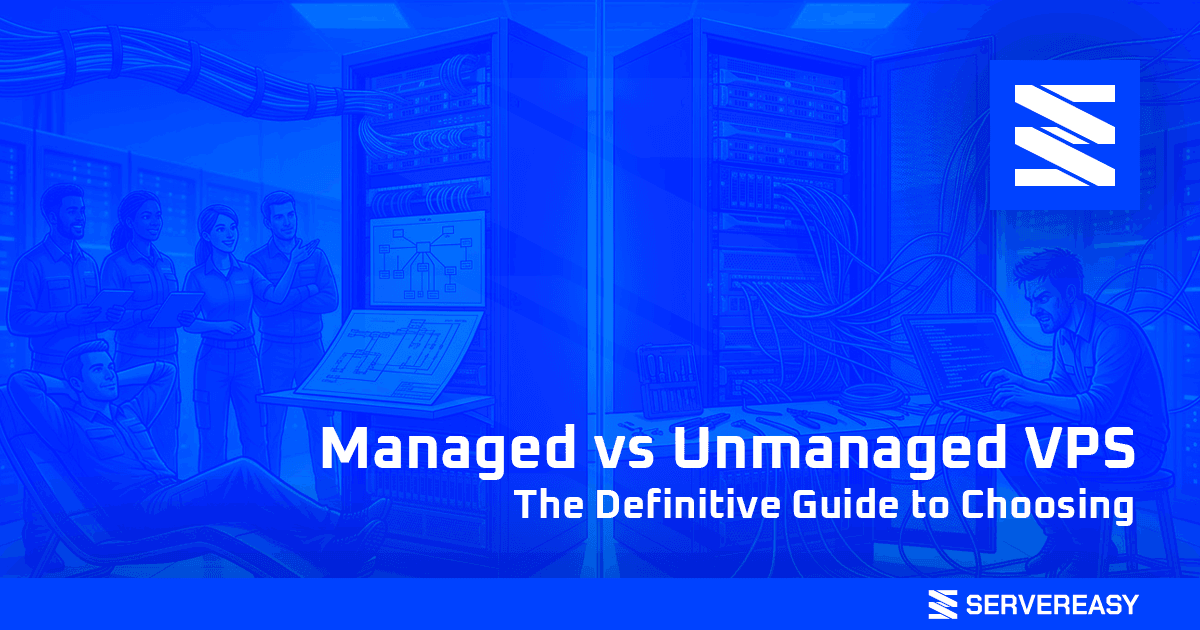
Managed vs Unmanaged VPS: The Definitive Guide to Choosing
Choosing a VPS (Virtual Private Server) is a crucial step for any growing online project. But once you’ve decided to make the leap, you face an even more important crossroads: Managed vs Unmanaged VPS? This isn’t simply a technical choice — it’s a strategic decision that impacts costs, the time you’ll need to dedicate to management, and ultimately, the success of your project. A wrong choice here can lead to frustration, unexpected costs, and sleepless nights.
In this definitive guide, we’ll clarify things once and for all. We’ll analyze the fundamental differences, the pros and cons of each solution, and help you understand which one is the right choice for you — whether you’re an experienced developer, a web agency, or an entrepreneur focused on business.
The Fundamental Difference: Whose Responsibility Is It?
The line between Managed and Unmanaged can be summarized in one word: responsibility. Who is responsible for the installation, configuration, maintenance, security, and software updates on your server?
- Unmanaged VPS: The provider (like us at Servereasy) is responsible for the physical hardware, the network, and the availability of the virtual machine. Everything else is your responsibility. We hand you a virtual machine with root access and full freedom. Installing the web server (Apache, Nginx), the database, security configuration (firewall, patches), OS updates, and troubleshooting software issues are all your tasks.
- Managed VPS: The provider also takes responsibility for much of the software management. They handle initial installation and configuration, security updates, proactive monitoring, and often provide a control panel (like cPanel or Plesk) to simplify site and email management. Essentially, they handle the “sysadmin side” for you.
| Aspect | Unmanaged VPS (Servereasy) | Managed VPS (Typical) |
|---|---|---|
| Cost | Much lower (e.g., from €5/month) | Much higher (often 5-10x more) |
| Control and Flexibility | Total (root access) | Limited by the provider and panel |
| Software Responsibility | 100% yours | Provider’s responsibility |
| Required Skills | High (Linux system administration) | Low/Medium |
| Ideal Target | Developers, Sysadmins, DevOps, Agencies with technical teams | Non-technical users, entrepreneurs, those who just want to “focus on the site” |
Unmanaged VPS: Freedom and Power for Those Who Know What They’re Doing
An Unmanaged VPS is a blank canvas for a developer or system administrator. It gives you maximum performance at the lowest possible price, because you don’t pay for a management service you don’t need. At Servereasy, we focus on this model, offering a powerful infrastructure based on AMD Epyc CPUs and NVMe storage in RAID10, leaving you the freedom to build whatever you want on top of it.
✅ Advantages of Unmanaged:
- Unbeatable Cost: You only pay for the virtual hardware. Our plans start from €5/month for resources that would cost ten times as much in a managed environment.
- Absolute Control: With root access, you can install any software, compile specific modules, optimize every single kernel or web server parameter. No limitations whatsoever.
- Maximum Performance: No control panel or pre-installed software consuming resources. Every CPU cycle and every MB of RAM is entirely at your disposal.
- Custom Security: You can implement the security policies you prefer, configure the firewall exactly as you want, and use the monitoring tools you know and love.
❌ Disadvantages of Unmanaged:
- Requires Skills: You need to be comfortable with the Linux command line. You need to know how to install a LAMP/LEMP stack, how to configure a firewall (e.g., UFW), and how to keep the system updated.
- Time Is Money: Server management requires time. If your core business isn’t system administration, this time could be taken away from more profitable activities.
Managed VPS: Peace of Mind Has a Price
A Managed VPS is the natural evolution of shared hosting. It’s designed for those who want the power and isolation of a VPS, but don’t have the skills or time to manage it. The provider acts as your personal sysadmin team, taking care of everything related to server operation.
✅ Advantages of Managed:
- Peace of Mind: You don’t need to worry about critical updates, security patches, or complex configurations. You’ll sleep soundly knowing that experts are monitoring your server.
- Proactive Support: Support doesn’t just resolve problems when you report them — it acts proactively to prevent them from happening in the first place.
- Ease of Use: Thanks to panels like Plesk or cPanel, creating sites, databases, and email accounts becomes a few-click operation.
❌ Disadvantages of Managed:
- High Cost: The management service comes at a price — and a steep one. A managed VPS can easily cost €50 to €200 per month for the same hardware resources as a €10 unmanaged VPS.
- Limited Flexibility: You don’t have root access. If you need specific software not supported by the provider or a particular configuration, you can’t implement it.
- Resource Overhead: Control panels and management software consume a non-trivial portion of RAM and CPU — resources you pay for but aren’t available for your applications.
So, Which Should You Choose?
The answer depends on one single question: what is the value of your time and your skills?
➡️ Choose an Unmanaged VPS if:
- You’re a developer, sysadmin, or agency with in-house technical skills.
- You want maximum performance at the lowest possible cost.
- You need specific software configurations and don’t want to be limited.
- You like having full control of your infrastructure.
➡️ Choose a Managed VPS if:
- You don’t have system administration skills and don’t intend to acquire them.
- Your time is more valuable when dedicated to marketing, sales, or content creation rather than server management.
- You want maximum peace of mind and a single point of contact for any issue.
Conclusion: A Strategic Choice, Not a Technical One
The choice between managed and unmanaged isn’t about which is “better” in absolute terms, but about which is best suited to your business model and your skills. An Unmanaged VPS like the ones we offer at Servereasy is an incredibly powerful and cost-effective tool in the right hands. It gives you the freedom to build a tailor-made infrastructure, optimized for your specific needs, without paying a single cent for services you don’t need. If you have the skills to wield this freedom, the potential is unlimited.
Frequently Asked Questions (FAQ)
Does Servereasy technical support help me if my site goes offline on an Unmanaged VPS?
Our technical support intervenes for issues related to hardware infrastructure and network connectivity. If your VPS is unreachable, we will investigate and resolve the issue. However, we do not intervene on problems related to software you have installed yourself (e.g., an Apache configuration error, a WordPress plugin issue, or a bug in your code). That part of the management is your responsibility.
Can I install cPanel or Plesk on a Servereasy Unmanaged VPS?
Of course. You have full root access, so you can purchase a cPanel, Plesk, or any other control panel license and install it on your VPS. This allows you to create a “semi-managed” solution where you have the power of our hardware and the convenience of a familiar panel.
What happens if I don't update my Unmanaged VPS?
If you don’t regularly apply security updates, your server becomes vulnerable to cyberattacks. A malicious actor could exploit a known vulnerability to access your server, steal data, or use it to launch attacks against others. Keeping the system updated is one of the most critical responsibilities of anyone managing an unmanaged server.
Do you offer a backup service on Unmanaged VPS?
Yes. We offer an automatic and free backup service for all our VPS plans. We perform a full backup of your virtual machine every day, with a 7-day retention policy. This protects you from catastrophic data loss, but managing backups at the application level (e.g., WordPress database backups) remains your responsibility.
Can I switch from Unmanaged to Managed?
Switching from an unmanaged provider to a managed one (or vice versa) is equivalent to a full migration. You’ll need to physically move all files and databases from the old to the new server. It’s not an automatic process, but many managed providers offer a paid migration service to assist you.

Our mission is to provide scalable, secure, and consistently reliable hosting and IT infrastructure solutions tailored to both individuals and businesses.
We believe hosting should be simple and transparent; that is why we invest in cutting-edge technologies and proprietary protection systems, ensuring performance and continuity in any situation.
With over 15 years of experience, we support our clients’ digital growth through expert assistance and constant innovation.
www.servereasy.it